QR Code Tip Sign
A scan to pay and tip sign for your counter: customers point their phone camera at the QR code and your Venmo, Cash App or PayPal page opens — no cash, no card reader. Pick a ready-made design or make your own with your logo, on acrylic with its own stand, from $19.90.
Ready-made tip sign designs
3″ × 5″ white acrylic with a stand. Order, then email your payment link or QR code to info@avdeb.com — we print it on the sign.
-
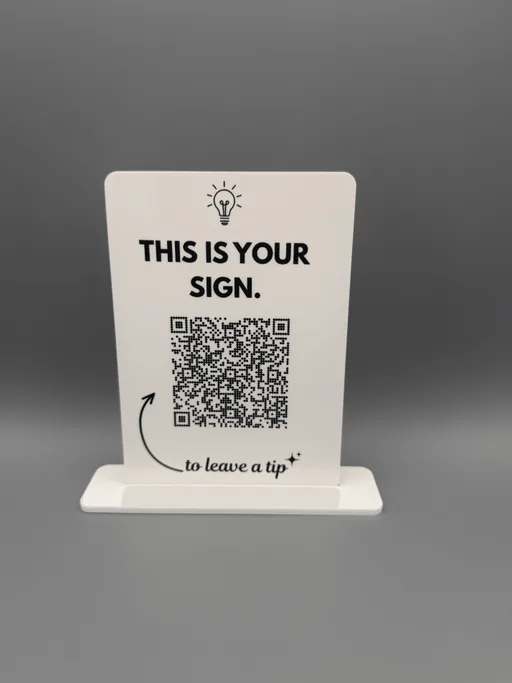
Funny QR Code Tip Sign - "This Is Your Sign to Leave a Tip" Acrylic Sign with Stand
$25.90
$19.90
-
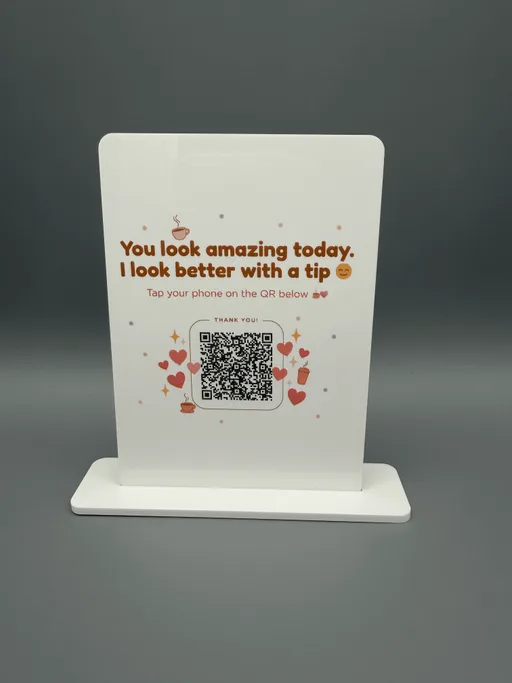
Coffee Shop QR Code Tip Sign - "You Look Amazing Today" Funny Acrylic Sign with Stand
$25.90
$19.90
-
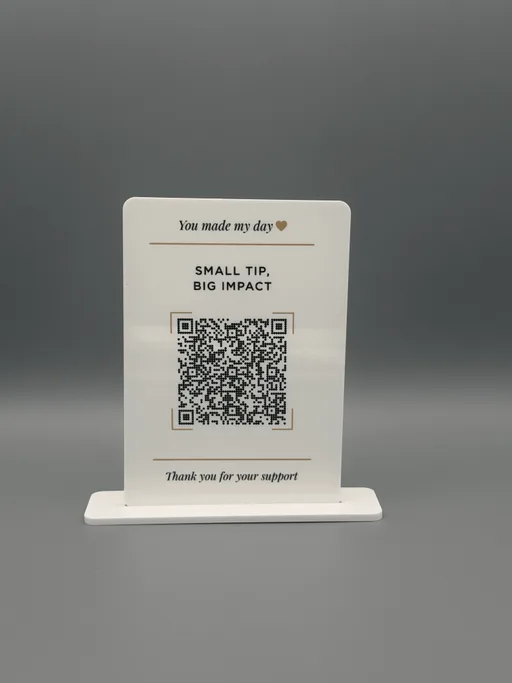
Tips Appreciated QR Code Sign - "Small Tip, Big Impact" Elegant Acrylic Tip Sign with Stand
$25.90
$19.90
-
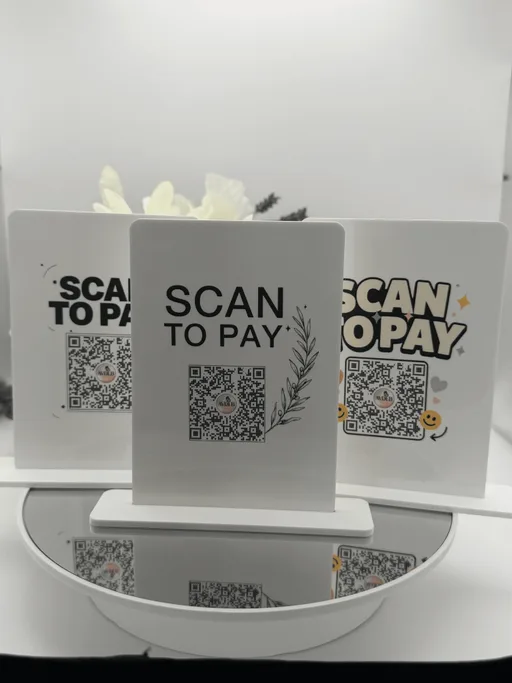
Scan to Pay Sign - Acrylic QR Code Payment Sign with Stand, 3 Styles
$24.99
Or design your own tip sign
Paste your Venmo, Cash App or PayPal link, add your logo and headline, and see exactly what we'll print — 4″ × 6″ $19.90 or 5″ × 7″ $24.90, stand included.
The fonts and layout are exactly what we print; colors and acrylic finishes on screen are close to, but not exactly, the real sign. The bottom inch slots into its acrylic foot, so nothing is printed there. QR codes print in black on a white panel so every phone can scan them — we test-scan each sign.
1. What should the QR code do?
Paste the full address. A short link you control (your website) lets you change the destination later.
2. Logo
3. Style
4. Acrylic: White
Every sign comes with its acrylic foot: slide the two pieces together — no glue, no tools, and they pack flat.
Need a Wi-Fi sign and a review sign? Add one, switch the type, and add the next.
Ready-made design or your own?
A ready-made design is the quick way to a fun tip sign. Designing your own adds your logo and brand colors, a larger sign and a live print preview — and you paste your link instead of emailing it.
| Option | How it works | Best for | Price | Link |
|---|---|---|---|---|
| Ready-made design 3″ × 5″ | Pick a design, order, then email us your payment link or QR code | A quick, fun tip sign for one counter | From $19.90 | See designs |
| Your own design 4″ × 6″ | Paste your link, add your logo and headline, preview it live | Counters, tip jars, stations | $19.90 with stand | Design it |
| Your own design 5″ × 7″ | Paste your link, add your logo and headline, preview it live | Front desks, host stands, markets | $24.90 with stand | Design it |
How to find your payment link
The QR code on your tip sign holds one link: the page where customers pay you. Here's where to find it in the most common apps.
Venmo
venmo.com/u/your-name
Your link is venmo.com/u/ followed by your Venmo username — the @name shown under your profile name, without the @.
Cash App
cash.app/$yourcashtag
Your link is your $Cashtag: cash.app/$ followed by your Cashtag. You'll find the Cashtag under your name on the profile screen.
PayPal
paypal.me/yourname
Use your PayPal.Me link (paypal.me/ plus your name). If you don't have one yet, you can set it up for free at paypal.me.
Square, Stripe & others
https://…
Any payment page with a web link works: a Square or Stripe payment link, a booking-and-pay page or a tip page from your POS.
Zelle QR codes only open inside banking apps, not the phone camera. For a Zelle sign, choose a ready-made design and email us the QR code from your Zelle app.
What to write on a tip sign
Keep it short and friendly — the QR code does the work. A few headlines that read well from a step away:
- “Scan to tip”
- “Tips appreciated ♥”
- “Scan to pay”
- “Thank you for supporting a small business”
- “Enjoyed your coffee? Leave a tip”
- “No cash? No problem — scan to tip”
Add your business name or logo on top and your @username or $Cashtag under the code.
Tips for a tip sign that gets used
- Print your @username or $Cashtag on the sign too, so customers can check they're paying the right account.
- Put the sign where the payment happens — next to the register, the card reader or the tip jar — at eye level.
- Taking payment for goods or services? Use a business profile in Venmo, Cash App or PayPal and check that app's fees and terms.
- Scan the finished sign with an iPhone and an Android phone before you put it out.
Who uses a scan to pay sign
Coffee shops & bakeries
A small sign next to the register or the tip jar — most customers don't carry cash any more.
Salons, barbers & nail techs
One sign per station, so clients can tip the person who did their hair without asking for change.
Food trucks & markets
Take payment and tips at the window or the stall, even when the card reader is busy.
Bars & restaurants
On the bar, the host stand or a table, for tips that go straight to the staff.
Musicians & performers
In front of the stage or the open guitar case — people who'd tip but have no cash finally can.
Rentals & services
Housekeeping, tour guides, movers and dog walkers: a tip sign people find without an awkward ask.
QR code tip sign FAQ
How does a QR code tip sign work?
The sign carries a QR code with your payment link. Customers point their phone camera at it, your Venmo, Cash App or PayPal page opens, and they enter the tip or amount themselves. Nothing is charged automatically and no extra app is needed to scan.
Which payment apps can I use?
Any payment page with a web link: Venmo, Cash App, PayPal.Me, Square and Stripe payment links and most tip pages. In the designer you paste the link and the QR code is made from it. Zelle codes only open inside banking apps — for those, pick a ready-made design and email us the QR code from your Zelle app.
How do I find my Venmo or Cash App link?
Venmo: venmo.com/u/ followed by your username (without the @). Cash App: cash.app/$ followed by your $Cashtag. PayPal: your paypal.me link. Paste it into the designer and scan the live preview to check it opens the right profile.
What's the difference between a ready-made design and designing my own?
Ready-made designs are 3″ × 5″ white acrylic signs with finished artwork: you order, then email us your payment link or QR code and we print it. Designing your own gives you a 4″ × 6″ or 5″ × 7″ sign with your headline, logo and colors, and you see the exact print preview before you order.
Can I add my logo or business name?
Yes, in the designer: upload a PNG, JPG, WebP or SVG logo up to 10 MB or pick an icon, then edit the headline and the small line at the bottom — for example your business name and @username. Choose from white, black, gold, silver, bronze or glitter acrylic.
Will customers see who they're paying?
Yes. Venmo, Cash App and PayPal show your profile name and photo before anyone sends money. Printing your @username or $Cashtag on the sign as well helps customers confirm it's you.
Is the sign durable and easy to clean?
Yes. It's 1/8″ (3 mm) acrylic with a UV-printed finish and a matching acrylic stand. Wipe it with a soft microfiber cloth; avoid harsh cleaners and scrubbing pads. The QR code prints black on a white panel so phones scan it reliably, and we test-scan custom signs before they ship.
How fast does it ship?
Signs are made to order and ship the same or next business day, Monday to Saturday, with US delivery in 2–5 business days and tracking. US shipping is free on orders over $35.
Get tipped, even when nobody carries cash
Your link, your logo, full-color acrylic and a stand that slots in. Preview it live — we test-scan every sign before it ships.
Related
Venmo, Cash App, PayPal, Zelle, Square and Stripe are trademarks of their respective owners. AVDEB is not affiliated with, sponsored or endorsed by them; the names only describe which payment links work.